
Windows fax software for pharmacies and clinics
Fax software from the people who answer your phone
FaxRetriever started with one job: get the faxes off the line and onto a PC in the pharmacy, with no machine to feed and no phone line to pay for. Then a client asked if faxes could go out from inside their pharmacy system and the result come back to the queue their techs watch. Then another pharmacy asked for theirs. We wrote it, we support it, and we run the network it sits on.
Already a client? Grab the latest build below. New here? Start with a call. FaxRetriever needs an account and a fax number before it can send, and we set up both.

Fits the software you already use
Send from inside your pharmacy system instead of a separate window. Where we integrate directly, the result is reported straight back into the queue your techs watch.
Every fax is kept
Incoming faxes stay with the carrier until the copy on your PC is confirmed. You choose how long history is kept, from one day to a full year.
Built for HIPAA, and we sign a BAA
Encrypted on the way to the carrier, with per-device credentials and an audit trail. We sign a Business Associate Agreement covering the app and the fax service.
Works with the scanner you have
Fujitsu, Canon, Brother, Epson, and everyday multifunction printers all work, connected by USB or over the network.
Works with the pharmacy software you already run
Each one exists because a pharmacy asked, and each is tested against the system that pharmacy runs every day.
Computer-Rx (WinRx)
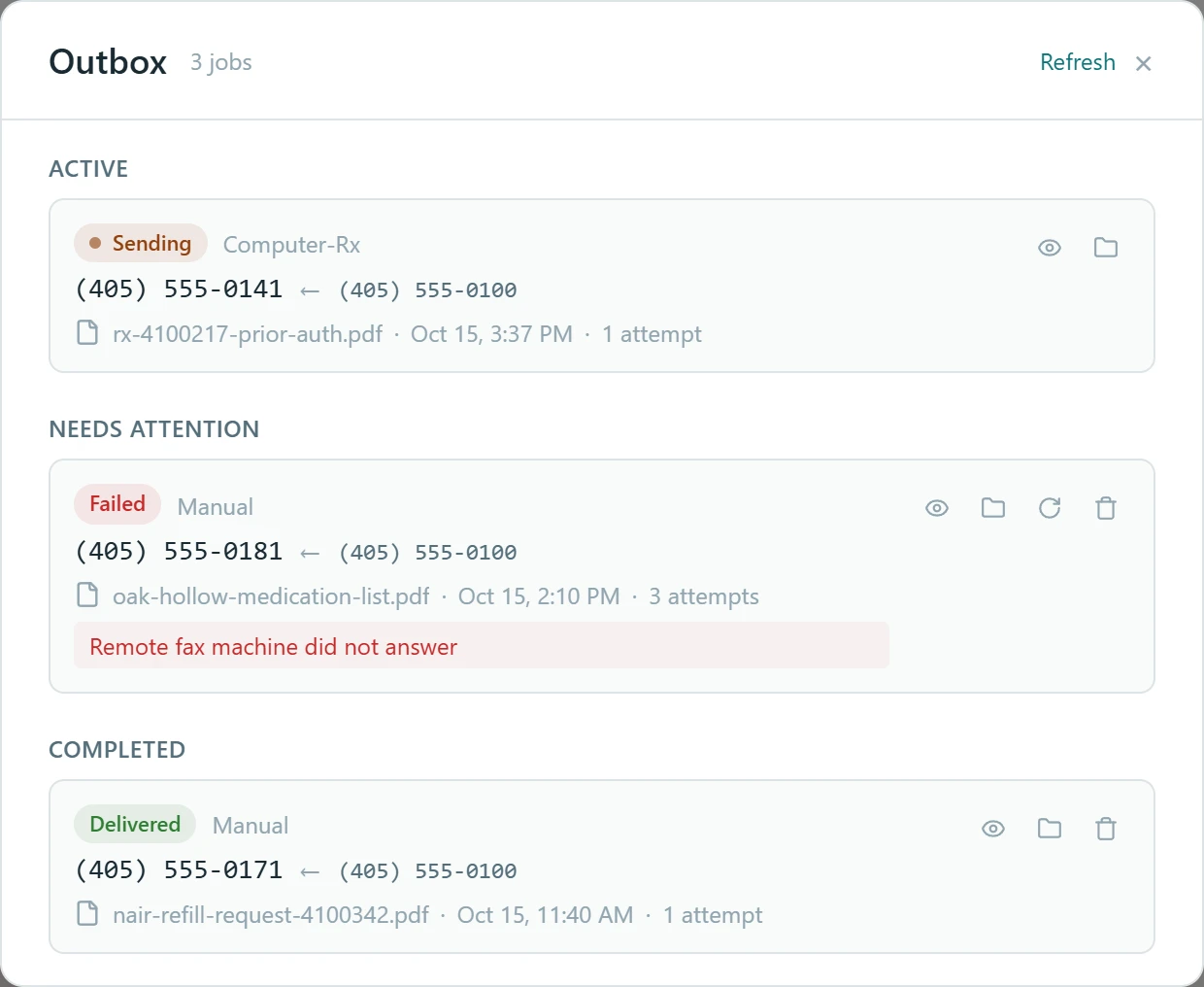
WinRx hands the fax to FaxRetriever, FaxRetriever sends it, and the result is written back into the WinRx queue as Faxed or Fax Failed. Your techs work from one screen, with the status right where they already look.
LibertyRx
Fax requests from LibertyRx are picked up and sent without anyone touching them, and inbound faxes forward on to Liberty. Sent status is tracked in the FaxRetriever Outbox and fax history.
Any other system
Point FaxRetriever at a folder. Anything your system saves there goes out as a fax, and incoming faxes land where your team expects them. This is how PioneerRx, QS/1, Rx30, FrameworkLTC, and most EMRs connect.
Everything you need to fax
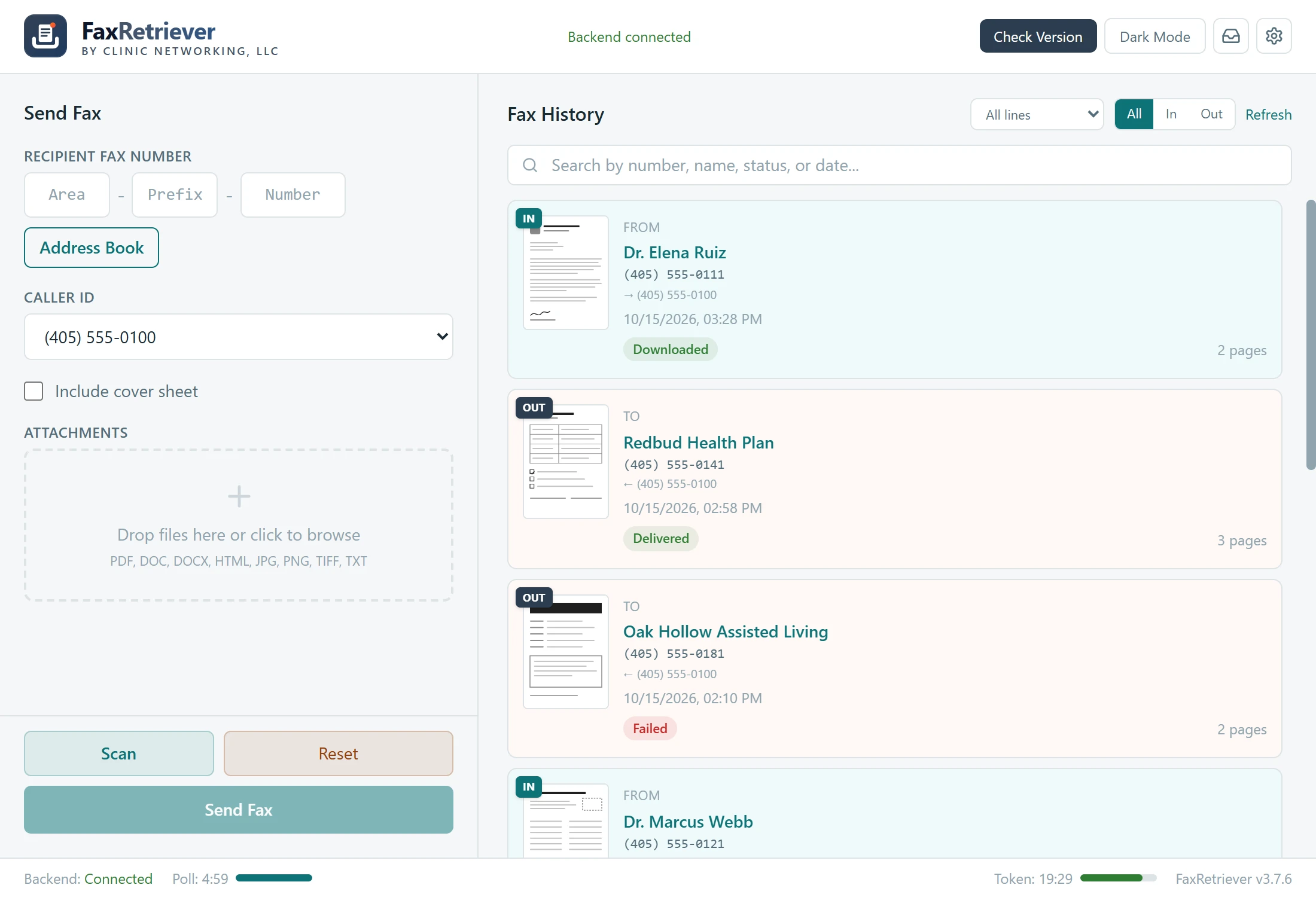
Sending, receiving, scanning, and a searchable history, in one window on the desktop your staff already use.
Sending
Drag a PDF in, add a cover sheet, and send. The Outbox tracks each fax as the carrier reports back.
- PDF, Word, HTML, JPG, PNG, TIFF, and TXT
- Simple and expert cover sheet editors
- Long documents split for you
- Accepted, Delivered, or Failed, with retry
- Caller ID picker when you hold several numbers
Receiving
New faxes download on their own and a notification tells you the moment one lands.
- Saved as PDF, JPG, or TIFF, in your folder
- Desktop notification on arrival
- Duplicates skipped
- History with search, In and Out filters, thumbnails
- Full-page viewer with zoom, print, and save
One notice, every prescriber
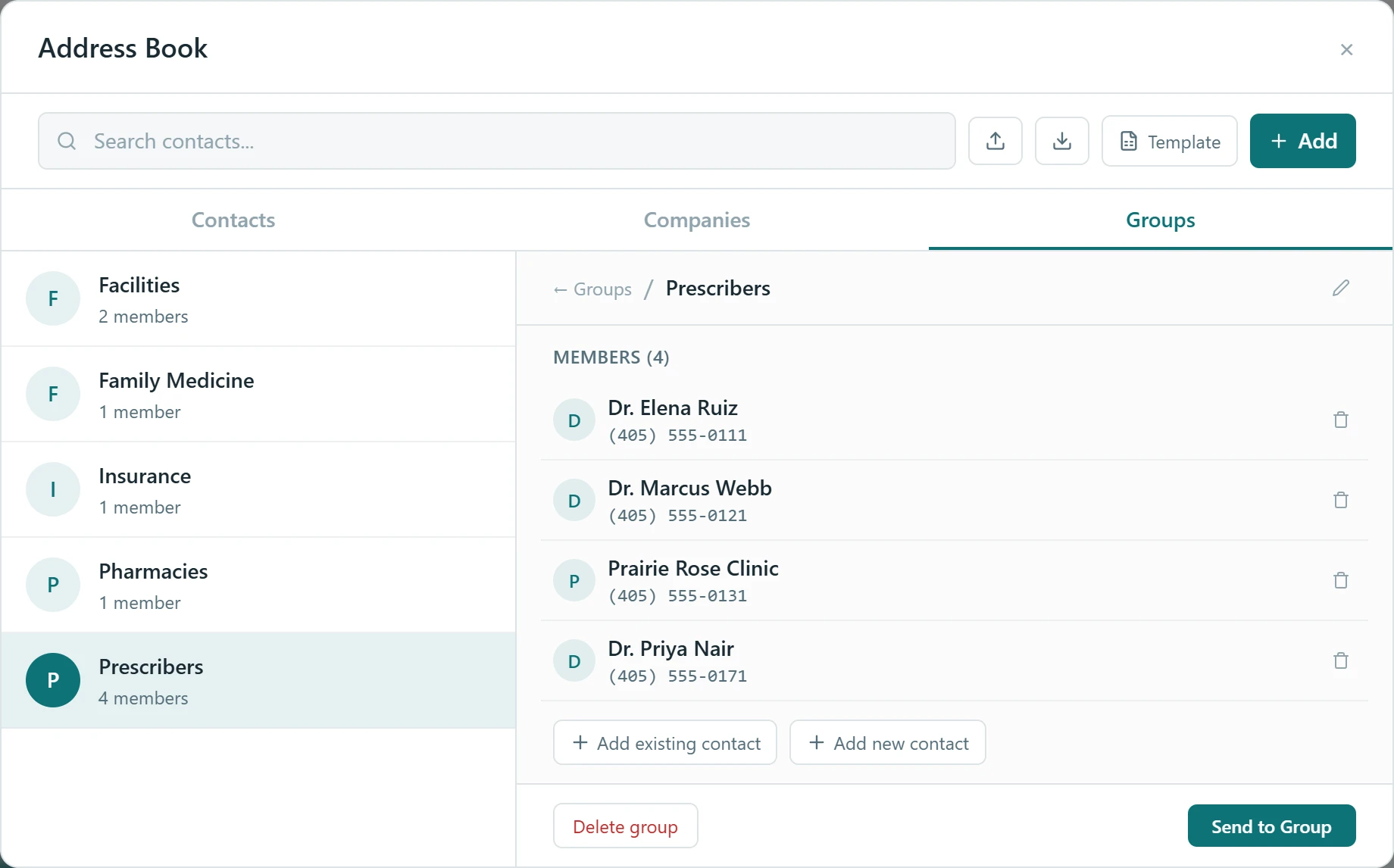
A drug recall, a change of hours, a new fax number: the kind of message that used to mean forty separate faxes and an afternoon at the machine. Build the list once as a Group in the address book, then send to the whole group in a single pass.
FaxRetriever shows you exactly who’s on the list and asks you to confirm before a page goes out, then paces the sending to stay within carrier limits so every page goes through.
FaxRetriever for Windows
Version 3.7.7 · Windows 10 & 11 (64-bit)
Download installer
Included with our fax service at $19.99 a month, with no separate license to buy. See pricing.
By installing, you agree to the End User License Agreement.
If Windows warns you about the installer
It might, on some machines. Our installer isn’t code-signed yet, so SmartScreen and a few antivirus products flag it on first run. The file is safe to install. If we manage your computers, we install it for you and you never see the prompt. If you do, call us and we’ll walk you through it.
Operating system
- Windows 10 (64-bit)
- Windows 11 (64-bit)
Before it can send
- An internet connection
- A Clinic Networking account
- At least one assigned fax number
We sign a Business Associate Agreement with you covering the software and the fax service. Fax transport is carried by our telephony partner under that same agreement.
Questions we get asked
What does FaxRetriever cost?
The software comes with our fax service at $19.99 a month, which covers the fax line and the software together. There’s no separate license, no per-page charge, and no annual contract. Full pricing is on our services page.
Do we keep the fax number we have had for years?
Yes, in almost every case. We port your existing number over, which usually takes one to three weeks depending on your current provider. Nothing changes on your end until the port completes, so your faxes always have somewhere to go. Start with the Port Your Number form and include a recent bill.
How long does setup take?
The install takes a few minutes per workstation. Porting the number is the part that takes time. If you’re starting with a new number instead, we can usually have you faxing the same day.
Will you sign a Business Associate Agreement?
Yes. We sign a BAA covering both the software and the fax service, and our telephony partner sits under that same agreement as our subcontractor.
Are our faxes encrypted?
Yes, between FaxRetriever and the carrier, and the copies on your PC sit behind your own Windows access controls. The final leg travels the telephone network, the same as every fax.
Windows warned us about the installer. Is that normal?
Yes, on some machines. The installer isn’t code-signed yet, so SmartScreen and some antivirus products flag it on first run. The file is safe to install. If we manage your computers, we install it for you and the prompt never appears. If you see it, call us and we’ll walk you through it.
Can we send one fax to a whole list of prescribers?
Yes. Build a Group in the address book once, then send to the whole group in one pass. FaxRetriever shows you who’s on the list before anything goes out, and paces the sending to stay within carrier limits.
Call about a fax problem, reach the people who wrote it
FaxRetriever is built and supported in Oklahoma City by the same company that manages pharmacy networks all day. When you call, you reach someone who knows the software and your network, and if there’s something you need it to do that it doesn’t yet, that’s a conversation we like having.
Already a client? support@clinicnetworking.com